Printshop
Programmatic Printmaking Simulation
Updated March 2026
I came up in print shops. USA Tees in Brooklyn, Atlas Embroidery in Fort Lauderdale. Production artist in the art department, but I had to understand every step of the process: offset presses, color separation, screen printing. Halftone screens at specific angles, registration dialed in by hand, ink density controlled plate by plate. I don’t consider that a former skill. Once a domain enters the picture, it stays.
You learn that the order matters, the overlap matters, and the slight misalignment of a plate loaded a fraction off center is what makes a real print look like a real print. Off-register makes it human. My prints were always in registration. Pulling the digital space out of registration to feel like print is a deliberate design choice.
Digital tools don’t model any of that. Photoshop has a “halftone” filter that applies a dot pattern on top of an image. Real printing is a sequence of operations: you start with a substrate, separate your image into color plates, screen each plate at a specific angle and frequency, ink each plate with its own color and blend mode, and press each one with its own registration.
The result depends on the order you lay the plates down and how each one interacts with what’s already there. And none of it is scriptable or reproducible.
Printshop models the real process. The core primitive is a print pass: extract a channel from the source image, screen it through a halftone pattern, apply ink color and blend mode, offset the registration, and composite onto the working image. Stack four print passes on a white substrate and you have CMYK process printing. Stack two with rough edges on cream paper and you have risograph duotone. Stack one on kraft paper and you have screen print.
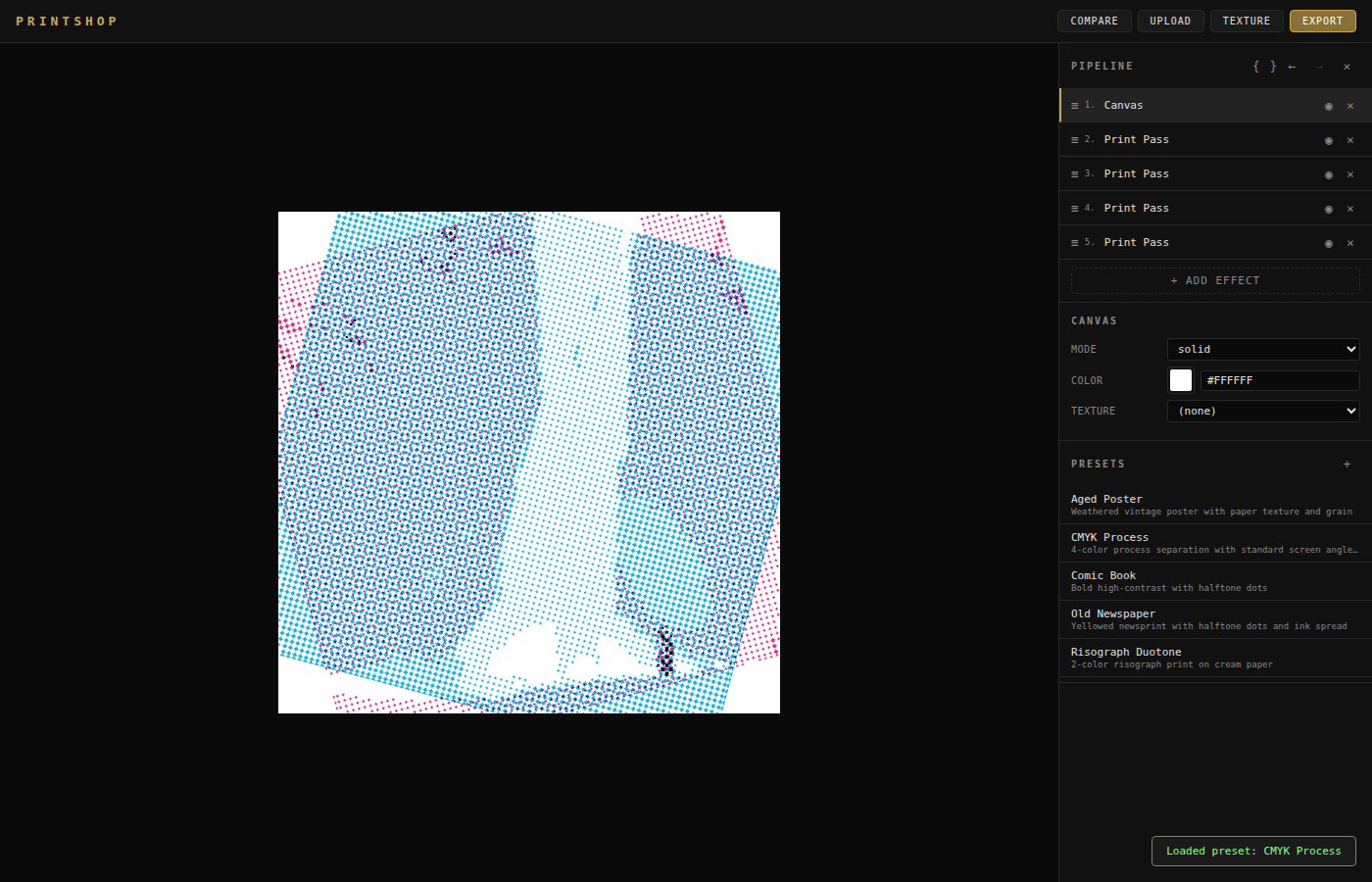
Effects are pure functions. A pipeline chains them. The API is stateless. Every effect declares its own parameter schema, so the browser UI auto-generates controls for anything you add. The architecture means Printshop works three ways: as a Python library you can script, a CLI you can batch, and a browser interface with Camera Raw-style controls for interactive work.
Seven presets ship bundled: CMYK Process, Risograph Duotone, Screen Print, VHS Tape, Aged Poster, Old Newspaper, Comic Book. Twenty-seven effects across printmaking, adjustments, distress, and CRT simulation. Every pipeline step supports optional masking (luminosity or image-based), so you can apply a print pass to only the highlights or only the shadows.
The before/after comparison runs in real time. Hold space to flash the original. Drag a divider for split view. Export when it looks right. Copy the pipeline as Python if you want to run it programmatically. The pipeline is JSON, so every result is reproducible.
This is how I work. If it sounds like what you need, let's talk.